延伸阅读
DeepSeek 延伸阅读
使用 DeepSeek 进行设计工作的教程、文档和分步指南,如已发布指南中所列。


 DeepSeek
  OpenDesign
 如何在 OpenDesign 中使用 DeepSeek TUI 设计界面:拥有自己的 API 密钥,为大型设计系统提供 1M-token 的上下文,从 brief 到审阅完成文件仅需一个 API 用量页面,以及开始前需要了解的限制。
一个完整的 DeepSeek 设计任务
一个任务,从交接一路追踪到最终检查:你提供的简报与约束、DeepSeek TUI 返回的产物,以及你在宣布完成之前仍需进行的审查。下面的界面是为本页制作的示例,并非一次录制的 DeepSeek 会话。
Brief设计一个 API 控制台用量页面:已用 token、成本、错误率、速率限制余量、每日图表和热门端点。覆盖桌面端和手机端。
data-od-id 钩子你撰写简报、选择设计系统并设定验收标准。
DeepSeek TUI 规划布局,编写 HTML、CSS 和 JavaScript,然后按需修改。
OpenDesign 提供设计系统和技能,渲染预览,并将每个版本作为文件保存在项目中。
交接之前,检查视觉层级、8px 网格间距、两个断点以及每一处交互。
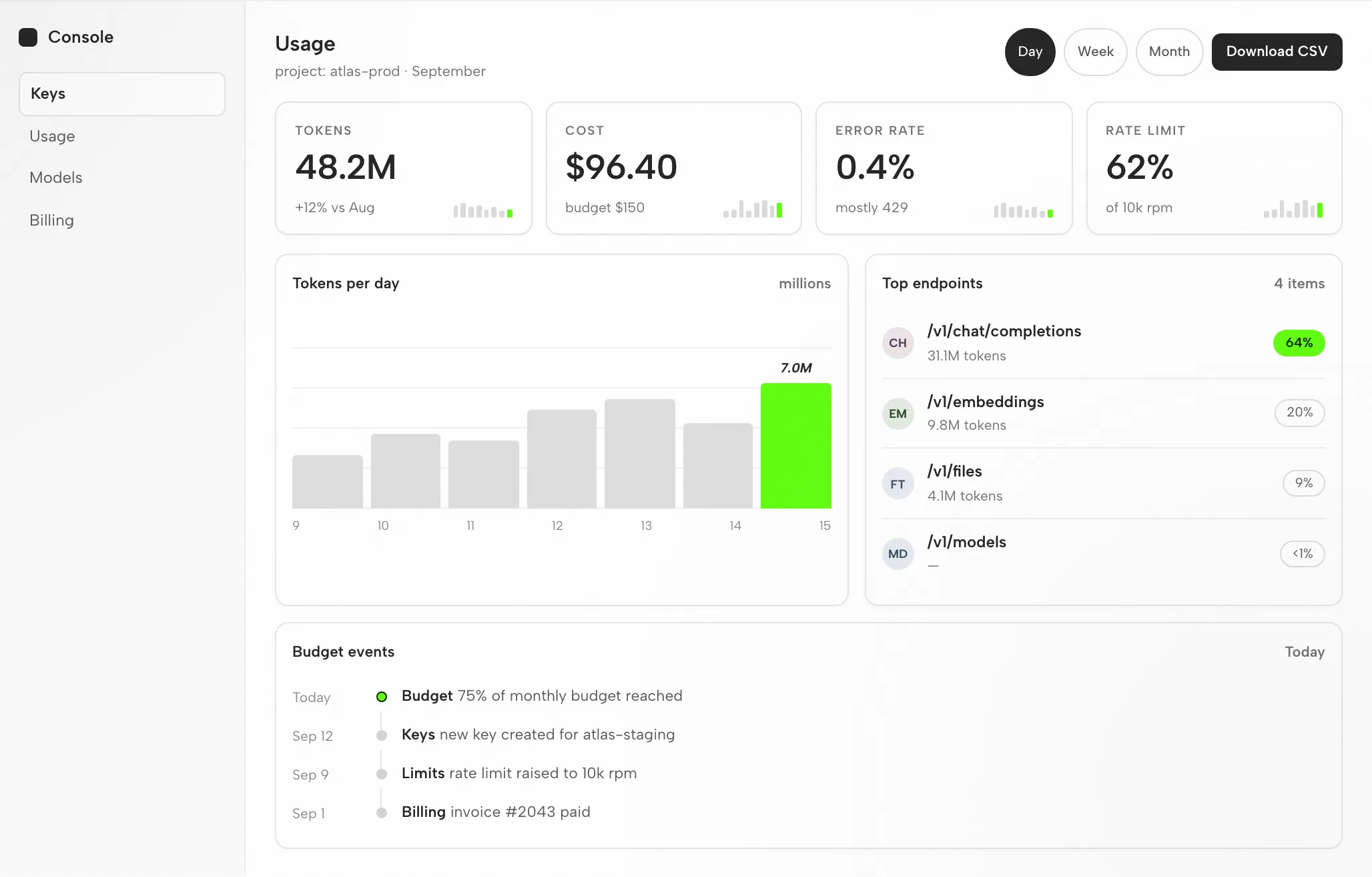
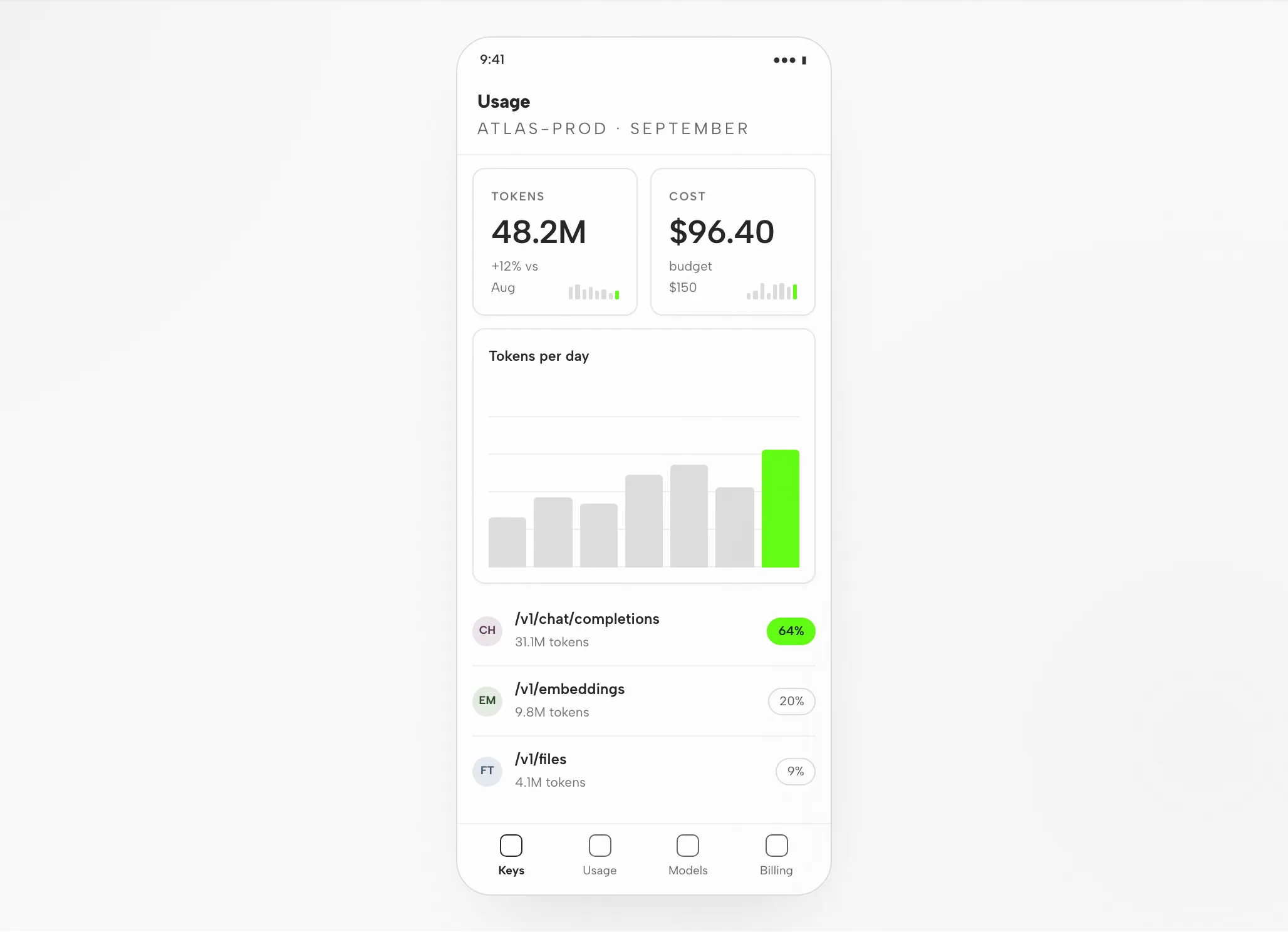
卡片、图表和端点表格都落在 8px 网格上;过长的端点路径被截断,而不是换行。
token 和成本占据阅读顺序的首位;强调色标出今日柱形和热门端点的占比。
每行两张卡片,图表在其下方,端点列表及其占比位于右侧。
打开 CSV 操作、切换周期、排序端点。
Fit
兼容性
范围:通过 OpenDesign 桌面应用连接的 DeepSeek。已发布的参考资料核查于 2026 年 9 月 6 日。
DeepSeek TUI 是一个由 DeepSeek 模型驱动的终端 AI 编码 agent;它读取你的代码库、编辑文件、运行命令、管理 git 并搜索网络。DeepSeek 是模型提供方,提供兼容 OpenAI 的 API(外加一个 Anthropic 格式的端点)。本页关注的是通过 OpenDesign 使用 DeepSeek 设计界面,而非 DeepSeek 自身的界面。OpenDesign 的 设置说明 列出了可用的 agent。
DeepSeek API key(BYOK)。使用你自己的 DeepSeek API key(BYOK)登录;凭据保留在你的机器上。本页不承诺任何配额或价格。
桌面构建请查看下载页面。源码快速开始中的 Node.js 和 pnpm 要求仅适用于从源码运行,不适用于安装桌面包。最低兼容的 DeepSeek 版本:此处未经验证。
使用你已安装版本所显示的连接说明,然后尝试一个小任务。确认 DeepSeek 已处理它,并且产物可以打开。仅下载并不能证明连接可用。
从桌面应用开始
先下载,完成你已安装版本的 DeepSeek 设置,然后验证一个小结果。走这条路径不需要从源码构建 OpenDesign。
选择适合你电脑的包,安装并启动应用。
下载 OpenDesign按照随你已安装版本附带的 DeepSeek 说明操作。使用你自己的 DeepSeek API key(BYOK)进行身份验证;凭据留在你的机器上。
DeepSeek API 文档# 1. Get a DeepSeek API key from the DeepSeek platform
# https://platform.deepseek.com
export DEEPSEEK_API_KEY=sk-...
# 2. Install a DeepSeek-capable terminal agent (follow its README),
# then point it at DeepSeek. The API is OpenAI-compatible:
# base URL: https://api.deepseek.com
# model: deepseek-v4-flash (or deepseek-v4-pro)
# (an Anthropic-format endpoint also exists at /anthropic)来源:已发布指南中的 DeepSeek 设置说明;请在厂商文档中核实当前命令。
从一份适度的简报开始,这样你能评估整个循环,包括一次修改。
构建一个设置界面,包含个人资料表单和保存确认。应用我的设计规则。检查它在桌面端和移动端宽度下的表现。
如果你想从源码运行 OpenDesign,请改用 技术快速开始。
DeepSeek 设计工作流
跟随一个 API 用量仪表盘,从简报走到经过审查的 HTML。每个阶段都点明你的输入、DeepSeek TUI 的动作、OpenDesign 的贡献,以及文件仍需要的检查。
保持简短:三到六行。说明谁阅读这个屏幕、它承担什么任务,以及哪些平台重要。
一套设计系统加上几条硬性规则。这正是让输出贴合你的品牌、而不是默认库外观的关键。
现在 DeepSeek TUI 编写一个自包含的 HTML 文件:布局、样式、交互和稳定的元素钩子。
产物会在 OpenDesign 中按你指定的宽度渲染。这正是检验设计质量的时刻。
data-od-id 目标。通过在预览中指向元素来请求更改。每次修订都会成为一个新文件;不会静默覆盖。
资源
使用 DeepSeek 进行设计工作的教程、文档和分步指南,如已发布指南中所列。
限制
常见问题
# 1. Get a DeepSeek API key from the DeepSeek platform
#    https://platform.deepseek.com
export DEEPSEEK_API_KEY=sk-...

# 2. Install a DeepSeek-capable terminal agent (follow its README),
#    then point it at DeepSeek. The API is OpenAI-compatible:
#      base URL: https://api.deepseek.com
#      model:    deepseek-v4-flash (or deepseek-v4-pro)
#    (an Anthropic-format endpoint also exists at /anthropic)
# 3. Start it in your project and generate project context
cd your-project
# create/scaffold a project context file with your design rules
# 4. Wire the Figma MCP server (optional, for design handoff)
# add it to the agent's MCP server configuration# in the agent's prompt:
> Implement this design in React + Vite + Tailwind + TypeScript.
Layout: two-column dashboard, 240px sidebar, 24px gutters,
card grid at 3/2/1 columns for desktop/tablet/mobile.
Reuse my existing design-system components and tokens from the
context file. Match spacing, layout, and hierarchy; make it responsive.
Run the dev server, render it in the browser, and iterate against the
spec across breakpoints until it matches.